Tetrius, god of falling blocks.
Stack, rotate, clear. A proper falling-block puzzle that follows the guideline.
About the nameTetrius is the (self-proclaimed) god of falling blocks. Which piece falls next, only the god knows.
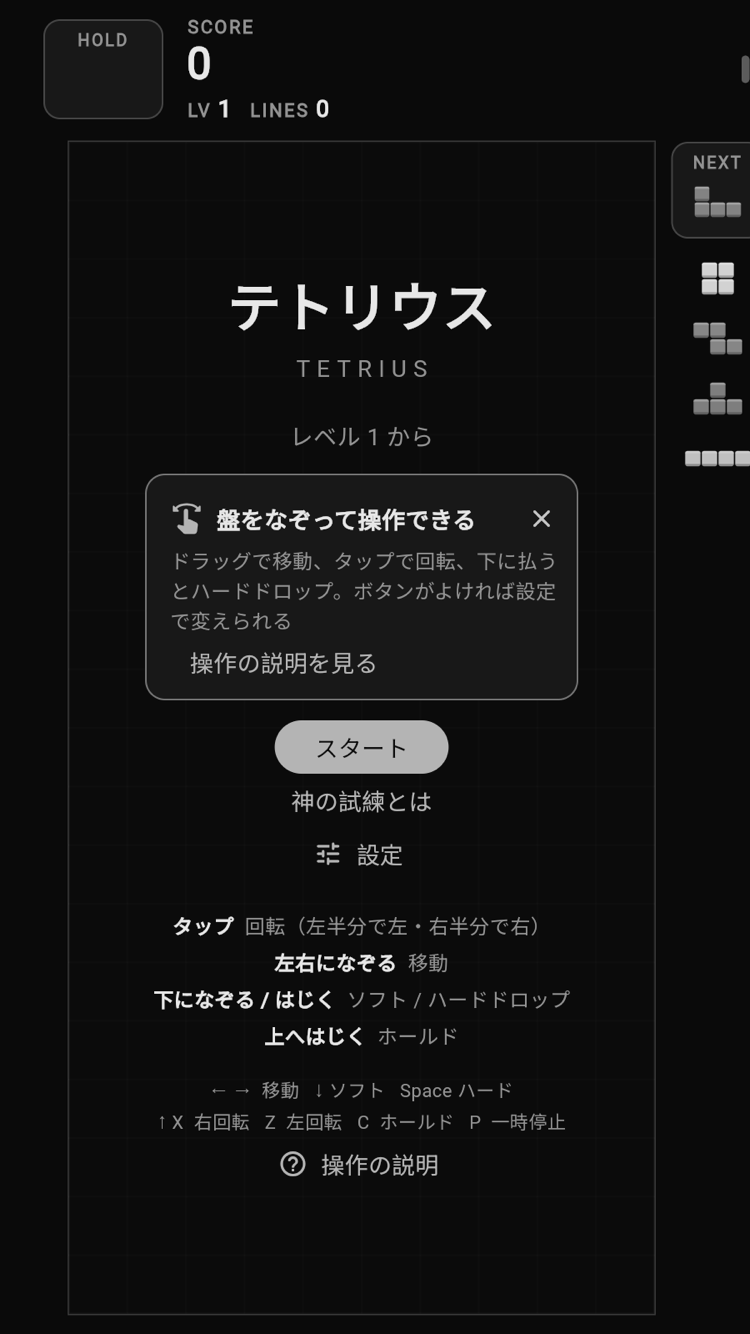
FEATURES
A proper falling-block puzzle
SRS rotation with wall kicks, 7-bag randomizer, 5 NEXT pieces and a ghost piece. Lock delay follows the guideline too.
Hold
Keep the current piece aside and swap it in later.
Score with techniques
T-Spins (including Mini), Back-to-Back, combos and Perfect Clears boost your score.
Start level 1-15
The level goes up every 10 lines and pieces fall faster, or turn the speed-up off. Your best score is kept on your device.
Gesture controls
Drag, tap and flick. You can switch to on-screen buttons in the settings.
God's Trial
Your game-over board becomes a trial. Make your own trials: a workout, studying, anything.
GOD'S TRIAL
Game over is not the end. God's Trial begins with your stacked board as it is. You make the trials yourself: push-ups, studying, party-game challenges, anything goes.
For workouts, for studying, for party games with friends.
How to play
- 1Create trials (e.g. 10 push-ups, 10 squats, answer a quiz correctly)
- 2When you complete a trial, tap it to get its reward
- 3Spend 1 stock to draw a card. The deck has the 7 pieces + 2 ACEs (pick any piece) + 1 JOKER (a miss)
- 4Place the piece where it can fall from the top before time runs out. Full rows are cleared
- 5Clear when the target column is completely empty. Mistaken taps can be undone
Rewards
Stock +1 to 3
Used to draw cards. Each trial gives 1 to 3.
Ban ticket
When drawing, take one piece type you do not want out of the deck for free.
Block-erase ticket
Tap any one block on the board to delete it.
Three rule sets
Normal
Time: 10 s
Tap to choose, tap again to confirm. Columns that were empty from the start do not count.
Strict
Time: 7 s
The piece is placed as soon as you tap. Every column counts.
Helper
Time: 10 s
Instead of placing the piece, erase 4 blocks that fit its shape.
CONTROLS
Gesture controls are the default, just like popular falling-block games on phones.
Drag left / right
The piece follows your finger
Tap
Right half rotates clockwise, left half counter-clockwise
Quick flick down
Hard drop
Slow drag down
Soft drop
Flick up
Hold
You can switch to on-screen buttons in the settings and adjust gesture sensitivity with a slider. In-app help explains both.
LINK
Coming soon to the App Store and Google Play